
| Date: | 11-sep-2024 |
| Found in CDM Version Number: | 2.68 |
| Date fixed: | 12-feb-2025 |
| Fixed in CDM Version Number: | 2.99 |
Problem Description:
A sorting issue occurs in the explorer of the Cartularius Document Management app on the Salesforce platform when using the "Owner" column. When users click on the "Owner" column header to sort, this sorting remains active even when subsequently clicking on other column headers. This results in an incorrect display of data and hinders efficient navigation through documents.
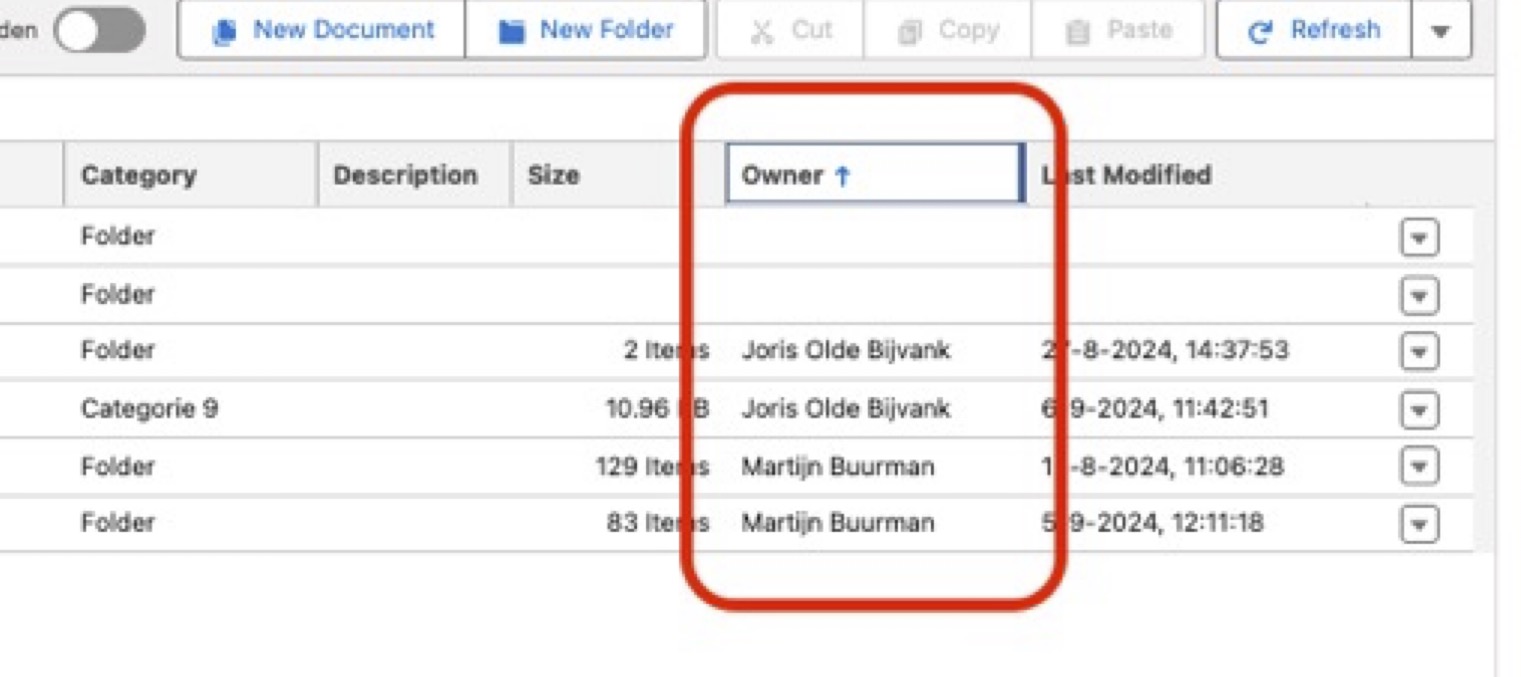 Symptoms:
- After sorting by the “Owner” column, clicking on other column headers has no effect on the sort order.
- The sort order remains fixed on “Owner”, regardless of which other column is selected for sorting.
- Users cannot effectively sort by other columns as long as the “Owner” sorting is active.
Temporary Solution / Workaround:
On versions older than 2.99, users can apply the following workaround:
- Fully refresh the page after sorting by the “Owner” column.
- Use alternative sorting options, like the columns “Name”, “Category”, “Description”, “Size” or “Last Modified”.
Impact:
This issue may negatively affect the user experience and reduce the efficiency of document management. It hinders users in quickly finding and organizing documents based on various criteria.
Status:
This issue has been resolved. The fix was released in Cartularius Document Management version 2.99 on 12 February 2025. Update to version 2.99 or later; the workaround below is only needed on older versions.
Additional Information:
- This issue only occurs with the “Owner” column and does not affect other sorting options within the app.
- The search functionality of the app remains fully operational and can be used as an alternative for finding specific documents.
We appreciate your patience and understanding while we work on a solution. For further questions or support, please contact our customer service at support@upperspire.com.
Comments
0 comments
Please sign in to leave a comment.